...
New: RSL All Access, every RSL plugin from $15/mo. Try it free for 14 daysEvery RSL plugin from $15/mo. Try it freeFounders’ price until

Changelog

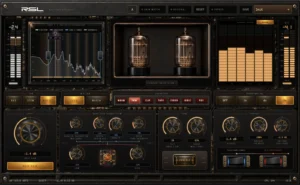
RSL Dual Core Saturator

Two independently driven saturation cores with a crossover you place yourself.

  1. v1.9.5Latest
    • Fixes a dip around 15 kHz that appeared as you raised Wet, most noticeable on Ferro. The top end now comes through as voiced.
    • Tube no longer adds a DC offset to the output, which could cost headroom.
    • Driven settings no longer leave inaudible low rumble on the output.
    • The sound no longer changes with your DAW's buffer size, and the output starts at your setting when a session opens instead of fading up.
    • 8x Oversample now works at 96 and 192 kHz.
    • Fixes the Blue transformer's sub octave flipping polarity in quiet passages.
    • Your sessions open as before. Settings with Wet up sound slightly brighter where the dip used to be.
    • macOS and Windows are both on 1.9.5.
  2. v1.9.4
    • Every control now changes without a click while audio plays, including Oversample, Character, Mix Law, Residual Solo, the Console switch, Input, Output and Voltage.
    • Bypass fades instead of cutting, and a bypassed instance now stays in time with the rest of your session.
    • Sessions report the correct latency the moment they open, at every Oversample setting.
    • A bypassed instance keeps running in the background so it can come back seamlessly, which means it uses its normal CPU.
    • The sound is unchanged, and your presets and sessions open as before.
    • Windows now has the same update.
  3. v1.9.3
    • Fixes an installer problem in 1.9.2 on Mac that could stop the plugin loading in your DAW. If it would not load after updating, this update fixes it.
    • The sound is unchanged, and your presets and sessions open as before.
    • macOS and Windows are both on 1.9.3.
  4. v1.9.2
    • New way to activate: sign in to RSL Hub with your Renegade Sound Labs account. There is no key to type, it covers up to 4 computers, and RSL Hub renews the activation in the background.
    • License keys keep working exactly as before.
    • Fixes activations that stopped working about a week after activating, which made the plugin ask for the key again. Update, then sign in to RSL Hub or enter your key once more, and it stays unlocked.
    • The sound is unchanged from 1.9.1, and your presets and sessions open as before.
    • macOS and Windows are both on 1.9.2, and the user manual is updated to match.
  5. v1.9.1 for macOS
    • Your activation key is remembered. Earlier builds could lose it about a week after activating, so every instance asked for the key again when you reopened a session. If that happened to you, enter the key once more after updating and it stays.
    • A key entered in one instance now unlocks every open instance at once.
    • If activation fails, the message now says why, for example when a key has reached its activation limit.
    • The installer always puts the plugin in the standard plugin folders, even if an older copy exists somewhere else on your Mac.
    • macOS and Windows are both on 1.9.1 again.
  6. v1.9.1 for Windows
    • Windows catches up. The Windows download moves from 1.6.1 to the current build, so it now has the shared header bar, the rebuilt presets and everything else that arrived on macOS in 1.9.0.
    • AAX is not in the Windows download. Pro Tools on Windows needs a separately signed build, which is not ready yet. AAX on macOS is unchanged.
    • The Windows installer is not yet signed, so Windows may warn you the first time you run it. Choose More info, then Run anyway.
    • macOS is unchanged and stays on 1.9.0.
  7. v1.9.0
    • Now runs in Pro Tools. The macOS installer includes an AAX build for the first time: it was added in 1.7.0, which was not released on its own. The Windows download does not include AAX yet.
    • New header bar across the top of the plugin, shared with the rest of the Renegade Sound Labs range: preset controls, settings and power all sit in the same place in every plugin.
    • Presets have been rebuilt. Save your own, step through the whole list with the arrows either side of the name, and import or export preset files to move them between machines.
    • Presets you already saved are read exactly as before and appear in the same list. Nothing is converted, moved or deleted.
    • Revert undoes your edits and returns the preset to how it loaded. The preset name turns gold with a dot in front whenever there are unsaved changes.
    • Recalling a preset is now consistent: anything a preset does not store returns to its default, so a preset sounds the same whatever was loaded before it. Console, Tape Speed and the Pre-Split crossover are covered by this for the first time.
    • Bypass is never stored in a preset, so recalling one cannot silently take the plugin in or out of your chain.
    • A/B moved into the header bar and works as before. Gain Match and Residual moved to the foot of the Output section. The Reset button is gone: recall the Init preset for the same result, or use Revert.
    • Settings panel added behind the gear, with the version, a link to the site, the user manual and your preset folder.
    • The editor is now 1040 by 680 to make room for the header bar.
    • Updated v1.9.0 user manual included.
  8. v1.8.0
    • Included in 1.9.0. This build was not released on its own.
    • Filter corner frequencies are now exact at every oversampling setting. Tape's 17 kHz loss filter and Ferro's 19 kHz rounding filter were landing well above their marked frequencies at 4x, and the output transformer was affected in the same way.
    • Density now behaves the same at every sample rate. Its timing was measured in samples rather than seconds, so the same settings drove the circuit differently at 44.1 kHz and 96 kHz.
    • Less aliasing from Clip and VO2 at their hardest settings.
    • VO2 is substantially cleaner. A fault in its subharmonic left it well below every other Character for noise; it now sits alongside Clip.
    • Console gains per-instance component tolerance, a shared supply rail between the Mid and Side paths, and cross-fed bias between them. No new controls, and your presets are unaffected.
    • Fixed the harmonic-content meter freezing in FL Studio after opening and closing the plugin window.
  9. v1.7.0
    • Included in 1.9.0. This build was not released on its own.
    • AAX added for Pro Tools on macOS, installed alongside the other formats. The Windows download does not include AAX yet.
    • There is deliberately no AudioSuite version. Ferro, Ionic and Tape all warm up over several seconds, so an offline render of a short selection would not match what the same settings do while playing.
    • Manual updated with Pro Tools install paths and troubleshooting.
  10. v1.6.1
    • First public retail release. Every earlier 1.6.x build was a licensed tester beta.
    • The macOS plugin is now named RSL Dual Core Saturator, with the Renegade Sound Labs mark on the faceplate. Existing projects still open: the plugin keeps the same internal identity, so saved sessions reload and your presets are carried across automatically the first time you run it.
    • Installing removes any earlier RMC-named copy, so the plugin no longer appears twice in your plugin list.
    • An uninstaller is now included and lands in your Applications folder. It removes every component and asks whether to keep your license activation and saved presets.
    • The Windows build still carries the previous RMC name. It is unchanged in this release and a renamed Windows build follows shortly.
    • macOS now ships as a signed and notarized installer that opens with no Gatekeeper warning, and lets you choose the Audio Unit, VST3, Standalone and manual separately.
    • License activation is live on macOS. Unlicensed audio is muted until a key is entered.
    • Windows build added: VST3 and Standalone for Windows 10 64-bit or newer. One purchase covers both platforms.
    • The Windows installer is not code signed yet, so SmartScreen warns on first run. Choose More info, then Run anyway.
    • Black-and-gold faceplate and revised section alignment.
    • Updated peak dBFS input and output meters with sweet-spot guidance.
    • Harmonic-content meter and RTA harmonic-injection visualization.
    • Core 1 to Core 2 and output-stage signal-flow diagrams.
    • Revised transformer switches, Console treatment, controls and animations.
    • Transformer switches no longer darken while being pressed.
    • Universal 2 binaries for Intel and Apple Silicon Macs.
    • Updated v1.6.1 user manual included.

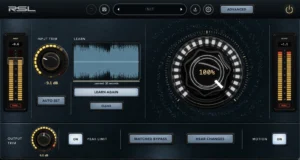
RSL Master

One macro toward a chart-ready master.

  1. v1.1.0Latest
    • A new look: a machined faceplate, new knobs, lit buttons and LED meters.
    • Input and Output trims now sit inside LED rings that meter the signal.
    • Peak Limit and Motion are ON/OFF buttons, and Learn glows amber while it listens.
    • Learn now says when it has not heard enough. Under four seconds the readout reads Too short, and it counts toward the minimum while it listens.
    • The sound is unchanged, and your presets and sessions open as before.
    • macOS and Windows are both on 1.1.0.
  2. v1.0.2
    • The output starts at your setting when a session opens instead of fading up.
    • Removes inaudible low rumble that later stages could add when pushed hard.
    • The sound no longer depends on your DAW's buffer size.
    • The sound is otherwise unchanged, and your presets and sessions open as before.
    • macOS and Windows are both on 1.0.2.
  3. v1.0.1
    • Ceiling, bypass, Matched Bypass, Delta and Capture now switch without a click while audio plays.
    • Sessions saved with Ceiling off report the correct latency the moment they open.
    • The sound is unchanged, and your presets and sessions open as before.
    • Windows now has the same update.
  4. v1.0.0
    • First release.
    • Audio Unit, VST3, AAX and Standalone on macOS 11 or newer, Universal 2. VST3 and Standalone on Windows 10 or newer, 64-bit.
    • Installs and activates through RSL Hub on up to 4 computers, with no license key.

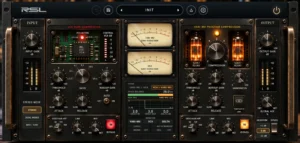
RSL Bastion

Vari-mu and VCA compression in one chassis.

  1. v1.0.2Latest
    • Auto Makeup no longer depends on your DAW's buffer size.
    • Audio was one sample later than Bastion reported. Fixed, and Mix now blends a perfectly aligned dry signal.
    • Bass Mono is rebuilt with a cleaner crossover, and switching it fades instead of clicking.
    • The Delta Ghost preset is re-levelled.
    • macOS and Windows are both on 1.0.2.
  2. v1.0.1
    • Bypass, Stereo Mode, Chain, Monitor, SC Listen and each stage's In switch now fade instead of clicking while audio plays.
    • A session saved with Bastion bypassed opens bypassed.
    • The sound is unchanged, and your presets and sessions open as before.
    • Windows now has the same update.
  3. v1.0.0
    • First release.
    • Audio Unit, VST3, AAX and Standalone on macOS 11 or newer, Universal 2. VST3 and Standalone on Windows 10 or newer, 64-bit.
    • Installs and activates through RSL Hub on up to 4 computers, with no license key.

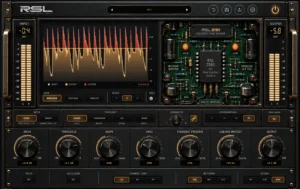
RSL Crucible

Analog peak shaping that brings the level up and keeps the punch, CLEAN or IMPACT.

  1. v1.0.2Latest
    • Clipping no longer leaves DC or inaudible low rumble on the output.
    • Delta now plays exactly what the clipper removes, at your input's level. At high Drive it could get very loud before.
    • The Delta Ghost preset is re-levelled.
    • macOS and Windows are both on 1.0.2.
  2. v1.0.1
    • Pro Tools on macOS: the installer now includes the AAX version.
    • Windows is unchanged.
    • The sound is unchanged from 1.0.0.
  3. v1.0.0
    • First release.

RSL Paradox

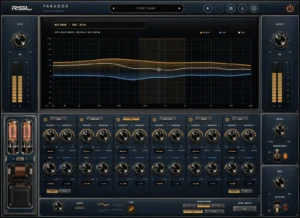
A dual curve EQ that boosts and cuts at the same frequency, on every band.

  1. v1.0.3Latest
    • Zero Latency now adds no latency. It reported none but delayed audio by 46 samples.
    • Zero Latency curves now sit where the controls say. They were an octave high, so a 1 kHz boost peaked at 2 kHz. Sessions that used Zero Latency will sound different, now matching what you dialled in.
    • Analog Mode no longer passes DC or inaudible low rumble.
    • The 808 Analog Weight preset is retuned.
    • macOS and Windows are both on 1.0.3.
  2. v1.0.2
    • Sweeping a band's boost or cut no longer clicks.
    • The sound is unchanged, and your presets and sessions open as before.
    • Windows now has the same update.
  3. v1.0.1
    • Pro Tools on macOS: the installer now includes the AAX version.
    • Windows is unchanged.
    • The sound is unchanged from 1.0.0.
  4. v1.0.0
    • First release.

RSL Channel

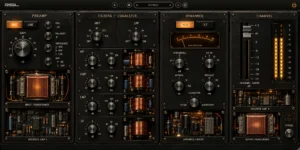
A full analog channel strip: preamp, filters, four-band EQ, dynamics and fader.

  1. v1.0.3Latest
    • Gain controls start at their saved values when a session opens, instead of ramping in.
    • Character drive no longer leaves DC or inaudible low rumble on the output.
    • The sound is otherwise unchanged, and your presets and sessions open as before.
    • macOS and Windows are both on 1.0.3.
  2. v1.0.2
    • The EQ, the filters and Character now glide when moved or automated, with no clicks, and the preamp HPF and the high- and low-pass filters fade in and out.
    • Your DAW's bypass button now uses Channel's smooth bypass.
    • The sound is unchanged, and your presets and sessions open as before.
    • Windows now has the same update.
  3. v1.0.1
    • Pro Tools on macOS: the installer now includes the AAX version.
    • Windows is unchanged.
    • The sound is unchanged from 1.0.0.
  4. v1.0.0
    • First release.

RSL One

Single-core Warm and Tube saturator, free with an account.

  1. v0.2.0Latest
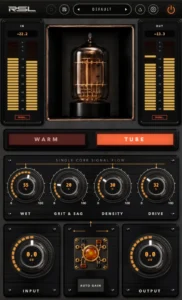
    • A new interface: LED meters for input and output, lit Warm and Tube buttons, and knobs that show their value right on the knob.
    • Clearer control names: Wet, Grit & Sag (Richness under Warm), Density and Drive.
    • A new user manual for the new interface.
    • The sound is unchanged, and your presets and sessions open as before.
    • macOS and Windows are both on 0.2.0.
  2. v0.1.1
    • Now runs in Pro Tools on macOS: the installer includes AAX.
    • Bypass now stays in time with the rest of your session.
    • Sessions report the correct latency at every oversampling setting.
    • Tube no longer adds a DC offset, and the sound no longer changes with your DAW's buffer size.
    • The output starts at your setting when a session opens instead of fading up.
    • Fixes a dip around 15 kHz, so the top end is slightly brighter than before.
    • macOS and Windows are both on 0.1.1.
  3. v0.1.0 for Windows
    • Windows build added: VST3 and Standalone for Windows 10 64-bit or newer. Same single-core Warm and Tube circuit as the macOS build.
    • There is no Audio Unit on Windows. AU is a macOS format, so the Windows installer offers VST3 and Standalone only.
    • The Windows installer is not code signed yet, so SmartScreen warns on first run. Choose More info, then Run anyway.
    • The macOS build is unchanged in this release.
  4. v0.1.0
    • First release.
    • Ships as a signed and notarized macOS installer that opens with no Gatekeeper warning, and lets you choose the Audio Unit, VST3, Standalone and manual separately.
    • Single saturation core with Warm and Tube characters.
    • Universal 2 build for Intel and Apple Silicon, macOS 11 or newer.
    • Audio Unit, VST3 and Standalone.

RSL Foresight

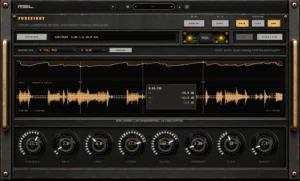
See what a compressor will do to your track before you commit. Free.

  1. v0.2.0Latest
    • A new interface: larger knobs that show their value on the cap, lit console buttons and clearer text throughout.
    • The RSL preset bar, with six factory presets (Bus Glue, Drum Punch, Vocal Control, Bass Even, Peak Catch and Smash), your own presets, undo, and import and export.
    • A/B now lives in the preset bar. COPY stays in the header.
    • A short guided tour runs the first time it opens. Press HOW TO to see it again.
    • The user manual is rewritten for the new interface.
    • Your audio still passes through untouched, and your sessions open as before.
    • macOS and Windows are both on 0.2.0.
  2. v0.1.0
    • First release. Capture up to 60 seconds of a track and see what a compressor would do to it, with a suggestion to start from.
    • Audio Unit, VST3 and Standalone on macOS. VST3 and Standalone on Windows.

RSL Hub

Our free app for installing, updating and activating RSL plugins on macOS and Windows.

  1. v0.2.3Latest
    • Adds Repair: a plugin that is installed but will not load can be reinstalled in one click.
    • Adds a Reinstall button to every installed plugin.
  2. v0.2.2
    • Start a free 14-day trial of a single plugin right from your library.
    • Smaller fixes and polish.
  3. v0.2.1
    • Fixes the highlight on your plugin list, which was cut off at one edge when you pointed at a plugin.
  4. v0.2.0
    • Activates your RSL plugins on this computer with no license keys: sign in and RSL Hub does the rest, and keeps them activated.
    • RSL All Access: subscribe, or try every plugin free for 14 days, right from Settings.
    • See the computers your plugins are activated on, and free one up when you need to.

RSL Foresight

Offline compression previewer. Shows what a compressor would do to a passage, without touching the audio.

  1. v0.1.0 for WindowsLatest
    • Windows build added: VST3 and Standalone for Windows 10 64-bit or newer. Same offline previewer as the macOS build.
    • There is no Audio Unit on Windows. AU is a macOS format, so the Windows installer offers VST3 and Standalone only.
    • The Windows installer is not code signed yet, so SmartScreen warns on first run. Choose More info, then Run anyway.
    • The macOS build is unchanged in this release.
  2. v0.1.0
    • First release.
    • Ships as a signed and notarized macOS installer that opens with no Gatekeeper warning, and lets you choose the Audio Unit, VST3, Standalone and manual separately.
    • An uninstaller is included and lands in your Applications folder alongside the standalone.
    • The audio path is bit-transparent. Foresight never processes your signal and reports no latency, so it is safe to leave anywhere in a chain.
    • Captures up to 60 seconds at the host sample rate, then simulates a compressor over the capture and draws the input, the simulated output and the gain reduction envelope.
    • Nine controls: threshold, ratio, knee, attack, release, lookahead, sidechain high-pass, makeup, and peak or RMS detection.
    • SUGGEST fills in every control against your own capture. It searches for the threshold that actually reaches the target gain reduction rather than applying a rule of thumb, and matches makeup so switching a suggestion in and out is a fair comparison rather than a loudness contest.
    • Six sources and three goals, with automatic detector selection you can override at any time.
    • Two A/B setting slots with copy between them, saved with your session.
    • Hover the display for input, output and gain reduction at any instant. Click to pin points, which stay put while you move the knobs.
    • Scroll to zoom, drag to pan, double-click to fit. Zooming re-simulates at higher resolution rather than magnifying pixels.
    • Universal 2 build for Intel and Apple Silicon, macOS 11 or newer.
    • Free. No key, no time limit, no watermark.

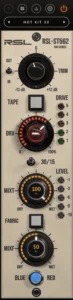
RSL-ST562

A 500-series tape strip, as a plugin: trim, tape at 30 or 15 ips, and Fabric harmonics in blue or red. Free.

  1. v0.2.0Latest
    • A new interface built from RSL hardware-style parts: LED-ring knobs, a DRV knob that glows hotter as you drive it, lit TAPE and FABRIC buttons, a real 30/15 switch and fading DRIVE and LEVEL lamps.
    • TRIM is now a meter knob. Its ring shows the output, and a small OUT/IN switch shows the input so you can gain stage.
    • MIXT and MIXF show their value right on the knob.
    • The MTR button is gone, and LEVEL always shows the output.
    • The sound is unchanged, and your presets and sessions open as before.
Seraphinite AcceleratorOptimized by Seraphinite Accelerator
Turns on site high speed to be attractive for people and search engines.